> ## Documentation Index
> Fetch the complete documentation index at: https://docs.wazzapi.com/llms.txt
> Use this file to discover all available pages before exploring further.
# Introduction
> What WazzAPI helps you do with messaging, contacts, templates, and webhooks
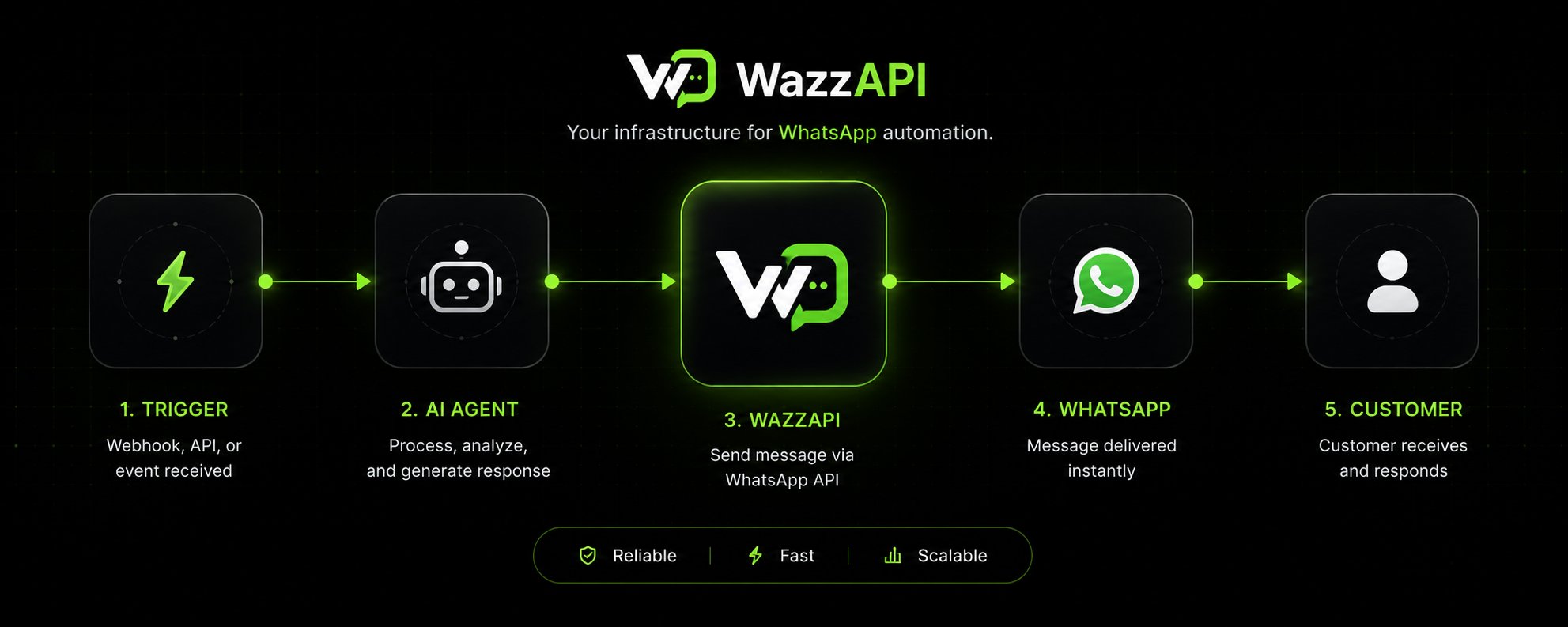 # Welcome to WazzAPI
WazzAPI gives teams a single place to manage WhatsApp operations with more control and less manual work.
* connect and monitor WhatsApp accounts
* route device traffic through HTTP or SOCKS5 proxies
* organize contacts and groups
* create reusable templates
* send direct and interactive messages
* inspect connected devices with the public API
* receive real-time webhook events
Teams use the dashboard for day-to-day operations, while backend integrations use API keys to call the public API.
Connect your account, create an API key, and send your first message.
Explore the public API schema.
Send text, media, location, contact-card, and interactive messages.
Learn how dashboard access and API authentication work together.
Connect WazzAPI to Claude Code, Cursor, VS Code, and other MCP-compatible agents.
Install the official `wazzapi` package and integrate faster with Python.
Install `@wazzapi/wazzapi` for typed Node.js and TypeScript integrations.
## What you can do with the API
With an API key you can automate the same core workflows as the dashboard:
* contacts and contact groups
* devices (list, link, status, proxy)
* messaging and delivery status
* campaigns
* templates
* conversation threads
* webhook subscriptions and event payloads
## Explore Features
Manage audience data, groups, imports, exports, and sync flows.
Create reusable templates with built-in and custom variables.
Build targeted sends for grouped audiences and scheduled delivery.
Work conversation threads and reply from the API.
Receive signed webhook deliveries for message and device updates.
Monitor delivery outcomes, device health, and key performance metrics.
Manage profile, billing, webhooks, API keys, and related preferences.
Route WhatsApp device sessions through HTTP or SOCKS5 proxies.
## Getting Help
Explore the public API schema and endpoint details.
Jump straight into the first end-to-end message send flow.
Add WazzAPI to an MCP-compatible agent for natural-language workflows.
Use the typed SDK for messages, contacts, templates, and webhooks.
Use the official TypeScript-friendly SDK for server-side integrations.
# Welcome to WazzAPI
WazzAPI gives teams a single place to manage WhatsApp operations with more control and less manual work.
* connect and monitor WhatsApp accounts
* route device traffic through HTTP or SOCKS5 proxies
* organize contacts and groups
* create reusable templates
* send direct and interactive messages
* inspect connected devices with the public API
* receive real-time webhook events
Teams use the dashboard for day-to-day operations, while backend integrations use API keys to call the public API.
Connect your account, create an API key, and send your first message.
Explore the public API schema.
Send text, media, location, contact-card, and interactive messages.
Learn how dashboard access and API authentication work together.
Connect WazzAPI to Claude Code, Cursor, VS Code, and other MCP-compatible agents.
Install the official `wazzapi` package and integrate faster with Python.
Install `@wazzapi/wazzapi` for typed Node.js and TypeScript integrations.
## What you can do with the API
With an API key you can automate the same core workflows as the dashboard:
* contacts and contact groups
* devices (list, link, status, proxy)
* messaging and delivery status
* campaigns
* templates
* conversation threads
* webhook subscriptions and event payloads
## Explore Features
Manage audience data, groups, imports, exports, and sync flows.
Create reusable templates with built-in and custom variables.
Build targeted sends for grouped audiences and scheduled delivery.
Work conversation threads and reply from the API.
Receive signed webhook deliveries for message and device updates.
Monitor delivery outcomes, device health, and key performance metrics.
Manage profile, billing, webhooks, API keys, and related preferences.
Route WhatsApp device sessions through HTTP or SOCKS5 proxies.
## Getting Help
Explore the public API schema and endpoint details.
Jump straight into the first end-to-end message send flow.
Add WazzAPI to an MCP-compatible agent for natural-language workflows.
Use the typed SDK for messages, contacts, templates, and webhooks.
Use the official TypeScript-friendly SDK for server-side integrations.